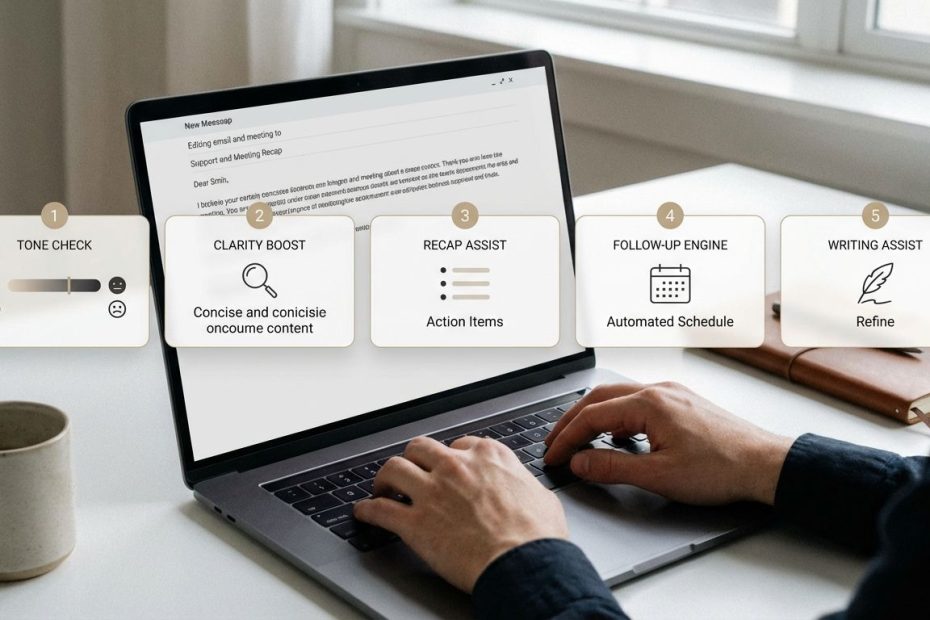
If you want to look and sound more professional, build a tight stack that covers five moments: drafting, tone control, correctness, readability, multilingual clarity, and meeting follow-ups. The right tools don’t replace your judgment, they remove avoidable friction so your best thinking lands cleanly.
This guide breaks down five writing and communication tools that strengthen your professional image across email, documents, messaging apps, and meetings. You’ll get a practical way to choose between similar options, a workflow that keeps your voice intact, and the exact use cases where each tool pays for itself in time and credibility.
Tool 1: Grammarly For Tone Control And High-Stakes Writing
When your reputation rides on “how that message lands,” Grammarly earns its place by helping you manage tone, clarity, and delivery speed. A surprising amount of professional damage comes from messages that are technically correct but emotionally off, too blunt, too casual, too salesy, too defensive. Grammarly’s tone features are built for this exact gap, where the words are fine but the vibe is wrong.
Use Grammarly when writing crosses power lines, manager updates, client escalations, performance feedback, cross-functional requests, and LinkedIn posts where tone gets judged fast. Run it late in the process, after the draft says what you mean, then accept only the suggestions that protect intent. Treat rewrites as options, not directives, and keep ownership of the final phrasing so the message still sounds like you.
Grammarly also fits well when writing happens everywhere, Gmail, web apps, knowledge bases, ticketing systems, and internal tools. The value is consistency: fewer small errors, fewer clunky phrases, fewer accidental sharp edges, and faster polishing under time pressure. When messages get forwarded, pasted into tickets, or quoted in decisions, that polish becomes part of your professional identity.
Tool 2: Microsoft Editor For A Low-Friction Professional Standard In Office And The Browser
If work runs through Word and Outlook, Microsoft Editor is the most natural upgrade because it fits where writing already happens. It checks spelling and grammar and offers refinements that matter in professional settings, including wordiness and passive voice guidance. That combination pushes writing toward clear, direct language without turning the process into a separate app or workflow.
Editor works especially well for leaders and operators who write a lot but do not want to manage another subscription, another login, or another set of writing rules. Keep it on for day-to-day email hygiene and document quality, then reserve heavier tools for client-facing or executive-level messaging. The result is fewer careless mistakes, tighter memos, and cleaner deliverables with minimal behavior change.
Microsoft also documents how Editor can use cloud processing for grammar and spelling depending on configuration, which matters when working with sensitive internal content. That detail doesn’t require paranoia, it just supports better choices: decide what content belongs in which tool, and keep internal policies aligned with how the tool operates.
Tool 3: LanguageTool For Multilingual Writing And Broad Website Coverage
When work crosses regions, multilingual accuracy becomes part of credibility. LanguageTool is built for writers who need correct, respectful language across dialects and languages, and who need help inside common web editors. It offers a web editor plus extensions for major browsers, keeping the workflow close to where messages get written and sent.
LanguageTool’s practical advantage is coverage and flexibility. If writing includes customer communication, vendor emails, policy notes, or cross-border collaboration, a multilingual checker reduces avoidable confusion. It also supports a switching behavior that’s common in real teams: a single person writes in one language in the morning, then edits or replies in another later the same day.
Use LanguageTool when the goal is to sound natural and correct without flattening voice. Keep it focused on grammar, agreement, and basic style issues, then apply human judgment to idioms, humor, and cultural sensitivity. Language is a trust signal, and consistent correctness reduces the tiny frictions that quietly erode professional credibility over time.
Tool 4: Hemingway Editor For Faster Clarity, Readability, And Executive-Ready Brevity
Hemingway is a clarity tool, not a grammar tool, and that distinction matters. It helps tighten writing by surfacing readability signals and document stats like word count, sentence count, reading time, and readability level targets. For professional communication, that translates into shorter sentences, fewer tangled paragraphs, and fewer “read twice” moments for busy stakeholders.
Use Hemingway after drafting, when the structure is mostly right and the goal is speed plus clarity. Paste in a memo, a proposal section, or a long email thread summary, then reduce the most obvious friction points: long sentences, dense blocks, and avoidable filler words. This produces writing that scans cleanly on mobile, reads cleanly in a hurry, and holds up when someone forwards it without extra explanation.
Hemingway also supports a professional habit that separates strong communicators from average ones: writing for the reader’s workload, not the writer’s comfort. Clarity is not a style preference in business writing, it’s operational efficiency. When your message can be understood quickly and acted on correctly, you look organized, decisive, and reliable.
Tool 5: Otter.ai For Meeting Notes That Turn Into Polished Follow-Ups
Professional image is built as much in meetings as in writing, and the strongest signal after a meeting is the follow-up. Otter’s Notetaker is designed to join supported meeting platforms, transcribe, and help produce summaries and notes after connecting a calendar. That gives you clean raw material for the recap email that executives and clients actually value: decisions, action items, owners, deadlines, open questions.
Use Otter when meetings create work, not just conversation: project kickoffs, client calls, stakeholder reviews, hiring loops, and incident retrospectives. It supports accuracy when details matter and memory fails, and it prevents the common credibility leak where follow-ups get delayed or drift into vagueness. The goal is not transcription perfection, the goal is fast, reliable capture that produces decisive next steps.
Otter also notes that the Notetaker appears as a participant and cannot join anonymously, which is operationally important for consent and trust in external calls. Keep meeting etiquette clean: disclose note-taking norms, confirm recording rules when required, and keep summaries tight and factual.
How To Choose The Right Toolset Without Paying For Five Subscriptions
A professional stack works when each tool has a clear job and minimal overlap. Start by mapping where writing happens most: Outlook and Word, Gmail and Google Docs, ticketing systems, knowledge bases, or multilingual client comms. The “best” tool is the one that works in your main writing surfaces with the least friction, because adoption beats features every time.
Pick one primary correctness tool, Grammarly or Microsoft Editor or LanguageTool, based on environment and language needs. Add Hemingway when writing tends to run long, ramble, or get too complex for stakeholders outside your function. Add Otter when meetings create commitments and follow-ups need to be fast and accurate.
Budget decisions land cleaner when measured against outcomes, fewer revisions, fewer misunderstandings, fewer escalations, faster approvals, faster client responses. If a tool reduces one extra cycle on a deliverable each week, it often pays for itself in time and reputation. Keep the stack lean and stable, then expand only when a real workflow gap stays unsolved for a month.
How To Build A Repeatable Professional Writing Workflow Across Email, Docs, And Meetings
A repeatable workflow prevents two failure modes: over-editing and under-editing. Draft fast to capture intent, then run a structured polish pass that stays consistent regardless of time pressure. A simple sequence works: organize, clarify, tone-check, correct, then shorten. This keeps your voice intact while removing friction the reader would otherwise feel.
For email and messaging, implement a two-minute standard before sending anything that could get forwarded. Check the subject line for specificity, tighten the first two lines so the ask is obvious, then verify tone and correctness. Add one short line that anchors ownership and timing, owner, deadline, next check-in, or decision needed, and remove anything that reads like internal processing.
For meetings, implement a same-day recap standard. Use Otter for capture, then write a follow-up that reads like a decision log, not a diary. Keep bullets short, keep action items measurable, and keep language unambiguous so recipients can forward it without editing. This is where professional image compounds: people remember who turns messy conversation into clean execution.
What Are The Best Writing Tools To Sound More Professional At Work?
- Grammarly: tone, clarity, polish across everyday writing
- Microsoft Editor: grammar and refinements inside Office and the browser
- LanguageTool: multilingual checks and broad web coverage
- Hemingway: readability and conciseness for skimmable writing
- Otter.ai: meeting notes that power fast, accurate follow-ups
Build Your “Polished By Default” Communication Stack
Professional image is built in small moments: an email that reads cleanly on the first pass, a document that never triggers confusion, a meeting recap that makes ownership and deadlines obvious. Grammarly, Microsoft Editor, LanguageTool, Hemingway, and Otter cover the most common gaps that slow teams down and quietly damage credibility. Use one tool for correctness and tone, one tool for readability, then add meeting capture only when meetings generate commitments. Keep the workflow consistent, protect your voice, and accept suggestions only when they improve clarity and intent. When writing becomes easier to read, easier to act on, and easier to trust, professional reputation rises without extra effort.
References
- Grammarly: Tone Detector
- Microsoft Support: Microsoft Editor Browser Extension
- Microsoft Support: Microsoft Editor Checks Grammar And More
- LanguageTool Help Center: How To Use And Install
- LanguageTool Help Center: Supported Websites And Applications
- Hemingway Editor Help: Readability And Document Stats
- Otter Help Center: Notetaker Overview
- Reddit: Affordable Substitute For Grammarly Thread
- Reddit: Looking For A Grammarly Alternative Thread
- Reddit: Grammarly Changes And Alternatives Discussion

Maurizio Chiriva Internati (DBSc, PhDs) is a cancer immunologist and biotech entrepreneur with 20+ years in immuno-oncology. Co-founder and former CEO of Kiromic BioPharma (NASDAQ: KRBP), he has led AI-driven target discovery and translational programs, and has served on faculty at MD Anderson and Texas Tech.